Split Bills Smarter,
Settle Faster
The easiest way to split expenses with friends. Track shared costs, settle up with one tap, and never worry about who owes what.
Everything You Need to Split Bills
Powerful features that make splitting expenses effortless
Smart Settle
Our intelligent algorithm minimizes the number of transactions needed to settle up. Pay or get paid in one go instead of multiple transactions.
Group Expenses
Create groups for trips, roommates, or any shared expense. Track who paid what and who owes whom in real-time.
Easy Expense Tracking
Add expenses in seconds. Split evenly, by percentage, or custom amounts. Attach receipts and add notes for clarity.
Real-time Balance
See exactly who owes you and who you owe at a glance. Track your balance across all groups in one place.
Expense Categories
Organize expenses by category - trips, food, rent, utilities, and more. Get insights into your spending patterns.
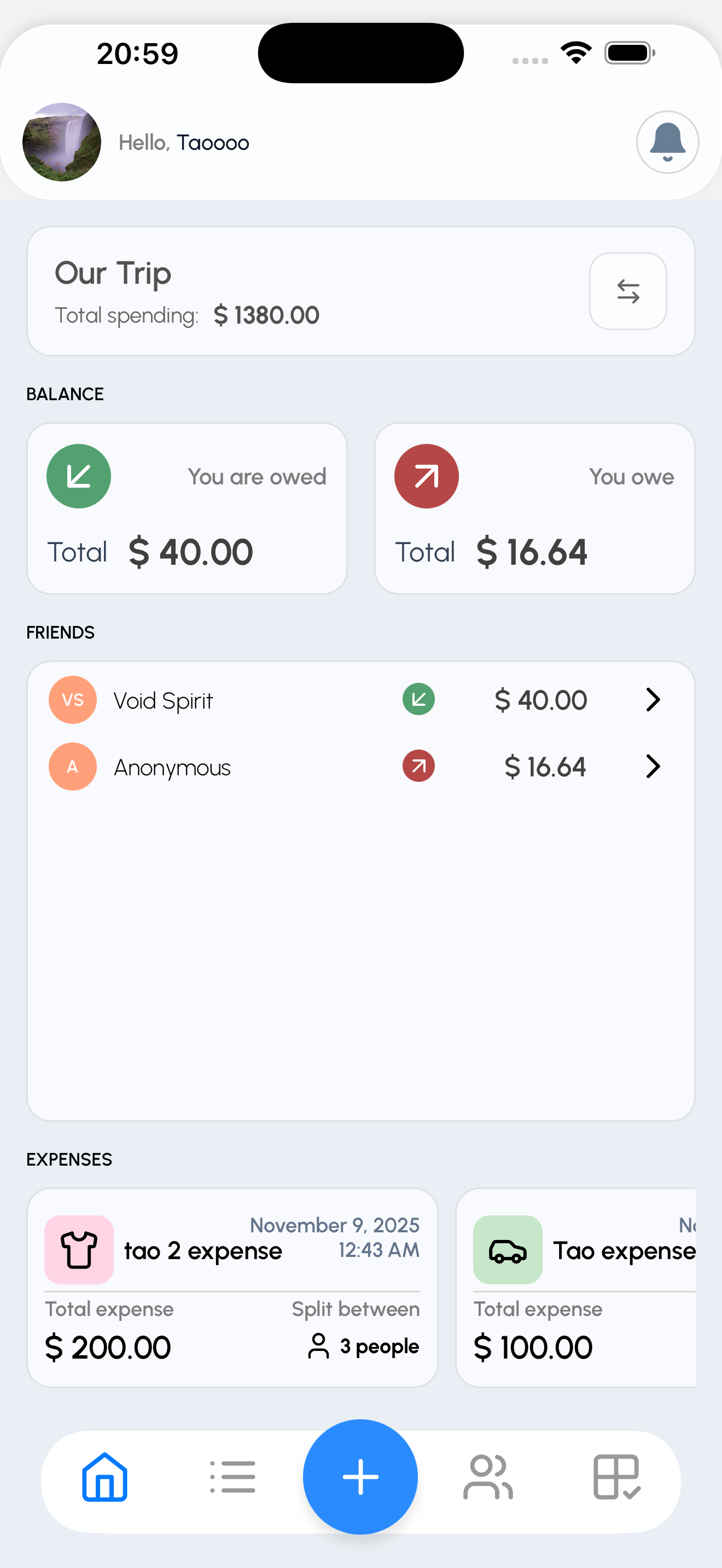
Track All Your Expenses in One Place
View all your shared expenses, group balances, and recent activity on a beautiful, intuitive home screen. Stay on top of who owes what with real-time updates.
- See all expenses at a glance
- Track balances across multiple groups
- Quick access to recent activity
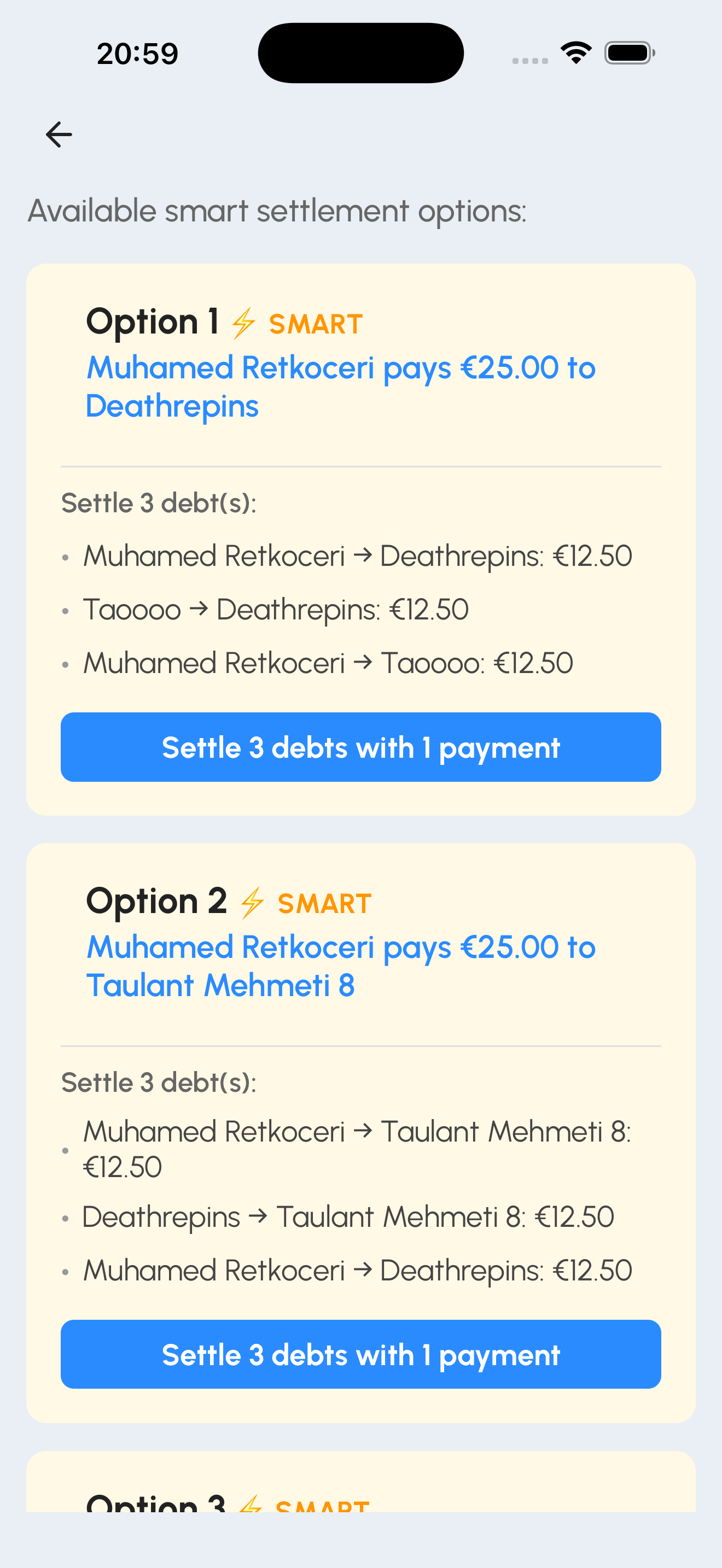
Settle Up with One Tap
Our intelligent Smart Settle algorithm automatically calculates the minimum number of transactions needed to settle all debts in your group. No more complicated payment chains.
- Minimize payment transactions
- Optimized settlement paths
- One-tap payment recording
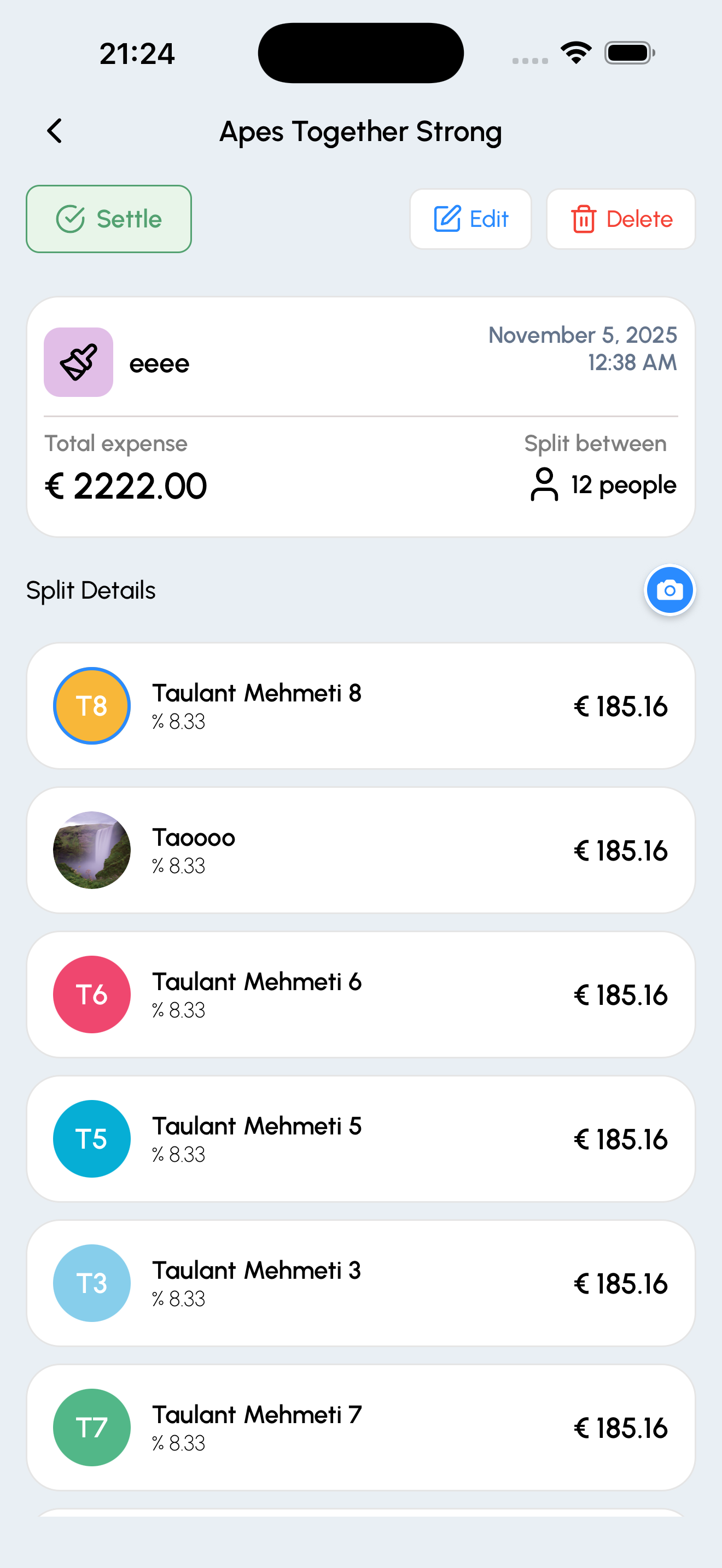
Detailed Expense Tracking
View complete expense details including who paid, how it's split, receipts, and notes. Edit or settle expenses with just a few taps.
- See complete expense breakdown
- Attach receipts and add notes
- Easy expense editing and settling
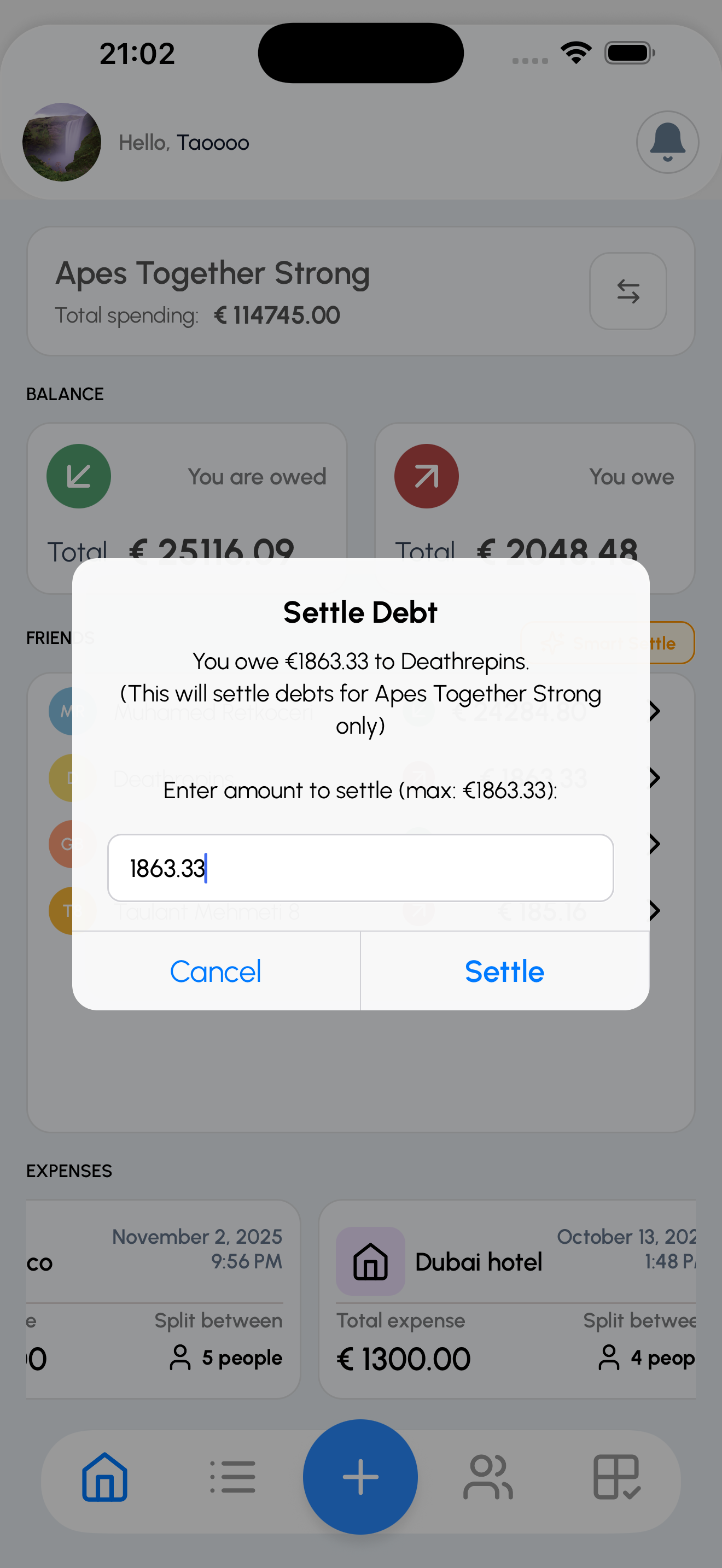
Settle Individual Friends
Quickly settle up with individual friends. See your balance history, choose a payment method, and mark payments as complete with a single tap.
- View balance with each friend
- Record settlements instantly
- Track payment history
How Smart Settle Works
Say goodbye to complicated payment chains. Our algorithm finds the optimal way to settle debts.
Without Smart Settle
Traditional settling requires multiple transactions:
3 transactions needed
With Smart Settle ✨
Optimized to just one transaction:
Only 1 transaction needed! 🎉
How it works:
- 1
Analyze all debts in your group
Our algorithm looks at who owes what to whom
- 2
Find optimal settlement path
Calculate the minimum number of transactions needed
- 3
One-tap settlement
Settle multiple debts with a single optimized transaction
Frequently Asked Questions
Everything you need to know about ThreadPay
How does ThreadPay work?▼
ThreadPay helps you track shared expenses with friends, family, or roommates. Simply create a group, add expenses, and the app automatically calculates who owes what. Our Smart Settle feature then finds the optimal way to settle all debts with the minimum number of transactions.
Is ThreadPay free to use?▼
Yes! ThreadPay is completely free to use. You can create unlimited groups, track unlimited expenses, and use all features including Smart Settle at no cost.
Does ThreadPay handle payments?▼
No, ThreadPay is a tracking tool only. We help you keep track of who owes what and calculate the optimal settlement path, but actual payments are made directly between users using your preferred payment method (cash, Venmo, PayPal, etc.).
What is Smart Settle?▼
Smart Settle is our intelligent algorithm that analyzes all debts in your group and calculates the minimum number of transactions needed to settle everyone up. Instead of multiple back-and-forth payments, you might only need one or two transactions to clear all balances.
Can I use ThreadPay for different types of expenses?▼
Absolutely! ThreadPay works great for trips, roommate expenses, group dinners, shared subscriptions, utilities, and any other shared costs. You can organize expenses by category and create separate groups for different purposes.
How do I invite people to my group?▼
After creating a group, you can invite people by sharing an invite link or sending them an in-app notification. They'll need to download the app and create an account to join your group and start tracking expenses together.
Is my data secure?▼
Yes! We take security seriously. All data is encrypted in transit and at rest. We never store payment information, and you can delete your account and all associated data at any time. See our Privacy Policy for more details.
Can I edit or delete expenses?▼
Yes! You can edit or delete any expense you created. All group members will see the updated information, and balances will be recalculated automatically to reflect the changes.
Still have questions?
Contact our support teamReady to Split Smarter?
Join thousands of users who are already saving time and avoiding payment hassles